
Precision Meets Power: Your Formulation Process, Reimagined
R&D moves fast, and you need tools that move with you. Whether you’re optimizing costs while preserving product integrity, fine-tuning constraints without friction, or setting up projects with only the data that matters—this release is all about making your workflow smoother, faster, and more intuitive.
We’ve streamlined the way you duplicate projects, manage constraints, and refine formulations—so you can focus on what truly matters: getting to the best solution, faster. Let’s dive in!
-
Full Control, Effortless Precision: Smart Constraints Are Here!
Formulation constraints are essential, but setting them up hasn’t always been as intuitive as it should be. We listened to your feedback and reimagined the experience—making it faster, clearer, and more flexible.
That’s why we’re launching Smart Constraints, a streamlined way to define and manage formulation rules with ease. Less time spent on setup, more time refining the perfect formula.
What’s New?
✅ Effortless Setup – Define ingredient limits, cost controls, and regulatory requirements with a simple, structured approach.
✅ Recognizable, Intuitive Syntax – No guesswork—just type constraints naturally, and the system understands.
✅ Greater Flexibility – Easily set exact values, ranges, dependencies, or dynamic conditions to match your formulation needs.
This feature is still in Beta mode, so your feedback will be fundamental to improve it. Let us know what you think.
-
Smarter Project Duplication: Keep What Matters, Remove the Noise
Ever duplicated a project only to spend time manually deleting inputs, outcomes, and constraints that weren’t relevant? We get it—unnecessary data creates clutter, slows you down, and makes decision-making harder. Now, with Selective Duplication, you’re in control.
When copying a project as a draft, you can pick exactly which inputs and outcomes to keep with a simple checkbox selection. Need a cleaner view? Just hit Remove Columns, and any constraints tied to those variables will be automatically cleared, ensuring a streamlined experience. Plus, the system remembers your choices—so your workspace stays clean, even in future duplications.
Less cleanup. More focus. Smarter workflows. Try it out today!
-
New Project Type: Preserve Label, Lower Cost
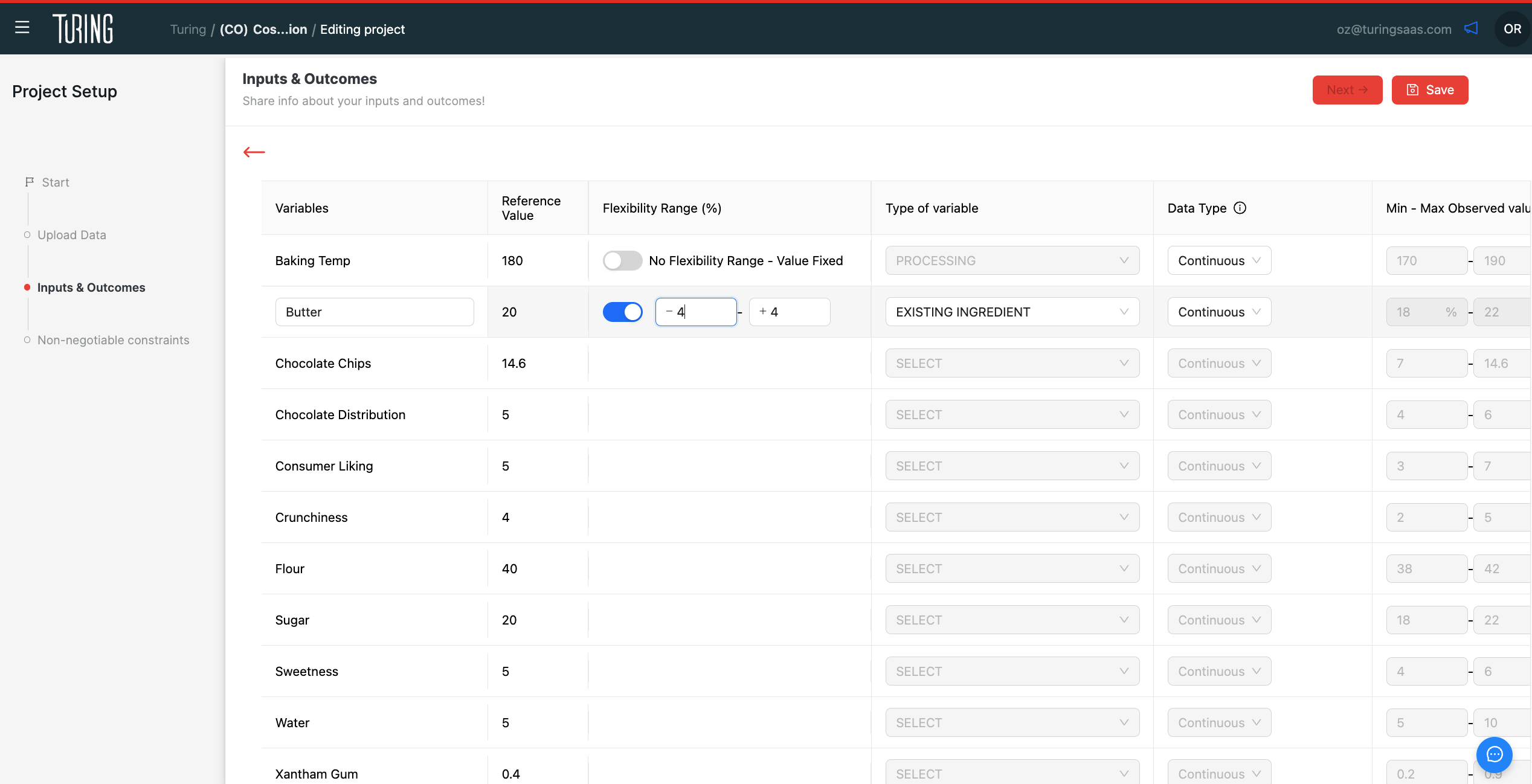
Cutting costs without compromising product integrity just got a whole lot easier. With our new “Preserve Label, Lower Cost” project type, you can now optimize formulations while maintaining ingredient integrity—all in just a few clicks!
How It Works
- Start with a reference formulation: Simply input a market product and its current cost.
- Define what stays and what flexes: Choose which ingredients can be adjusted within a specific range, while the rest remain fixed.
- Automatic goal setup: The system locks in your existing outcomes as targets, ensuring quality remains intact.
- Cost optimization made simple: Luna automatically sets up constraints and targets cost minimization without exceeding the original price.
And that's it! Review your recommendations, and discover cost-saving alternatives—all while keeping your label unchanged. Ready to try it?
